Use Agent Fawkes
Agent Fawkes is an AI Assistant specifically engineered to enhance your data management experience while ensuring data privacy and security. Its capabilities span across SQL generation, metadata inspection, and real-time task monitoring, all while respecting the user's data locality and consent.
This guide will guide you through using Agent Fawkes. For details on the architecture and data security policies of Agent Fawkes, see AI Assistant Overview.
Enable AI Assistant
Follow these steps to enable AI Assistant for all console users in your CelerData Cloud account:
- Sign in to the CelerData Cloud console.
- In the left-side navigation pane, choose Account > Account settings.
- On the Advanced settings tab of the Account settings page, turn on the AI Assistant switch.
- On the information that appears, click Accept & Enable.
After AI Assistant is enabled, you can use it in the CelerData Studio of any cluster in the account.
Interact with Agent Fawkes
- Sign in to the CelerData Cloud console.
- In the left-side navigation pane, choose Clusters.
- On the Clusters page, click the cluster you want to open.
- On the cluster details page, click Open cluster.
- On the Connect to your Cluster page, enter your Username and Password for accessing the cluster, and click Sign in to open CelerData Studio.
- On the SQL editor tab of CelerData Studio, click Agent Fawkes to start a chat with Agent Fawkes.
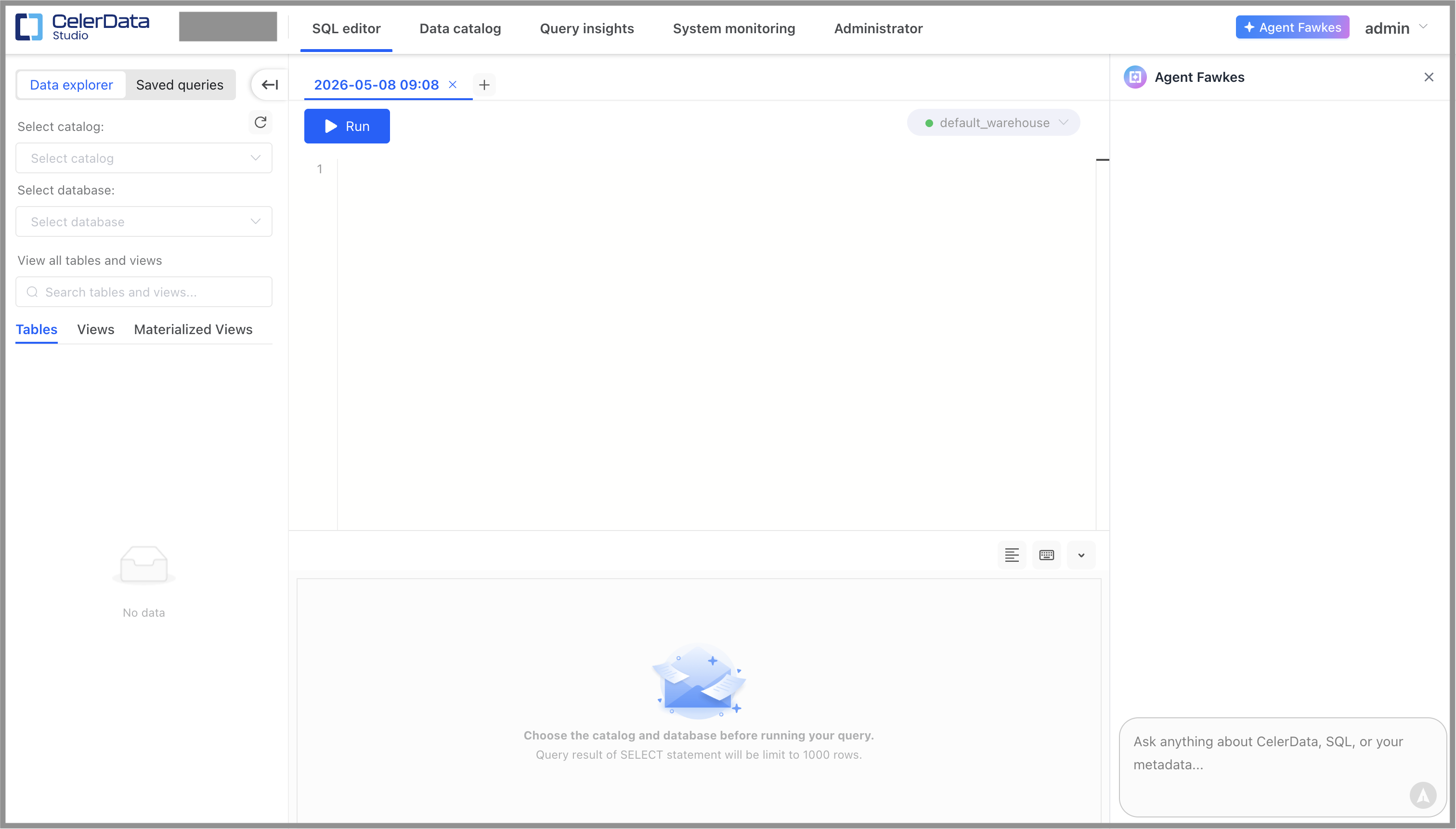
Through chats with Agent Fawkes, you can:
- Ask Agent Fawkes to inspect the metadata of your cluster.
- Ask Agent Fawkes to write SQL statements for queries, or DDL and DML operations.
- Ask Agent Fawkes to fix, rewrite, optimize, or explain SQL statements.
- Ask Agent Fawkes questions concerning database use based on the documentation.
Inspect cluster metadata
Through chats with Agent Fawkes, you can inspect the cluster metadata, including but not limited to your database schema, table DDLs, partition information, and load task status. For example, you can inspect the load task status in a specific database by telling Agent Fawkes to "conclude the status of all load operations in the database xxx".
Agent Fawkes will first request access to the operations of getting certain metadata, and, if the request is approved, will return the task information you required.
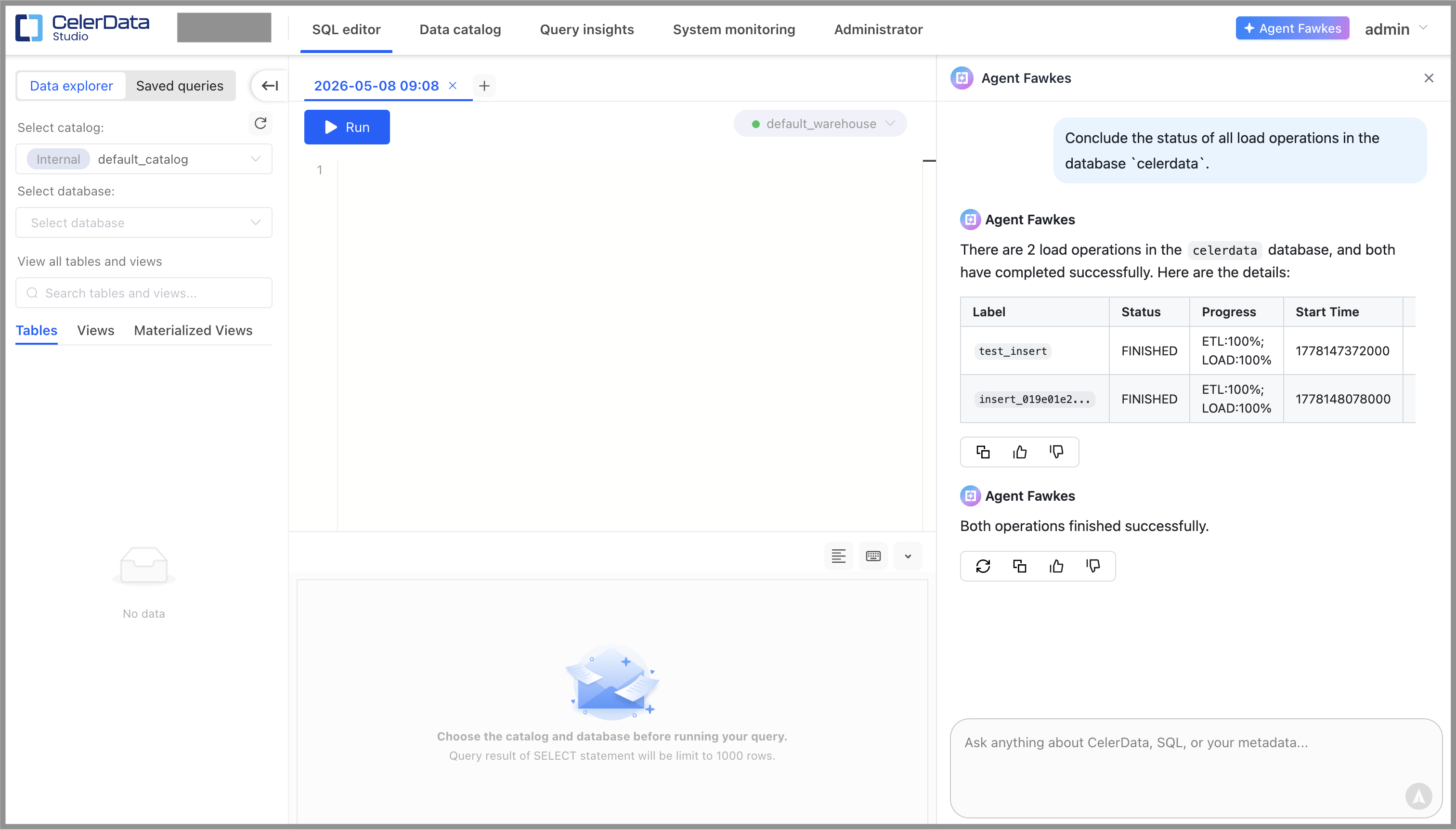
Cluster metadata (database schema or task status) is read with user consent collected by authorization prompts. You can choose Allow once or Allow for this session. The choice is remembered at thread granularity.
Generate SQL
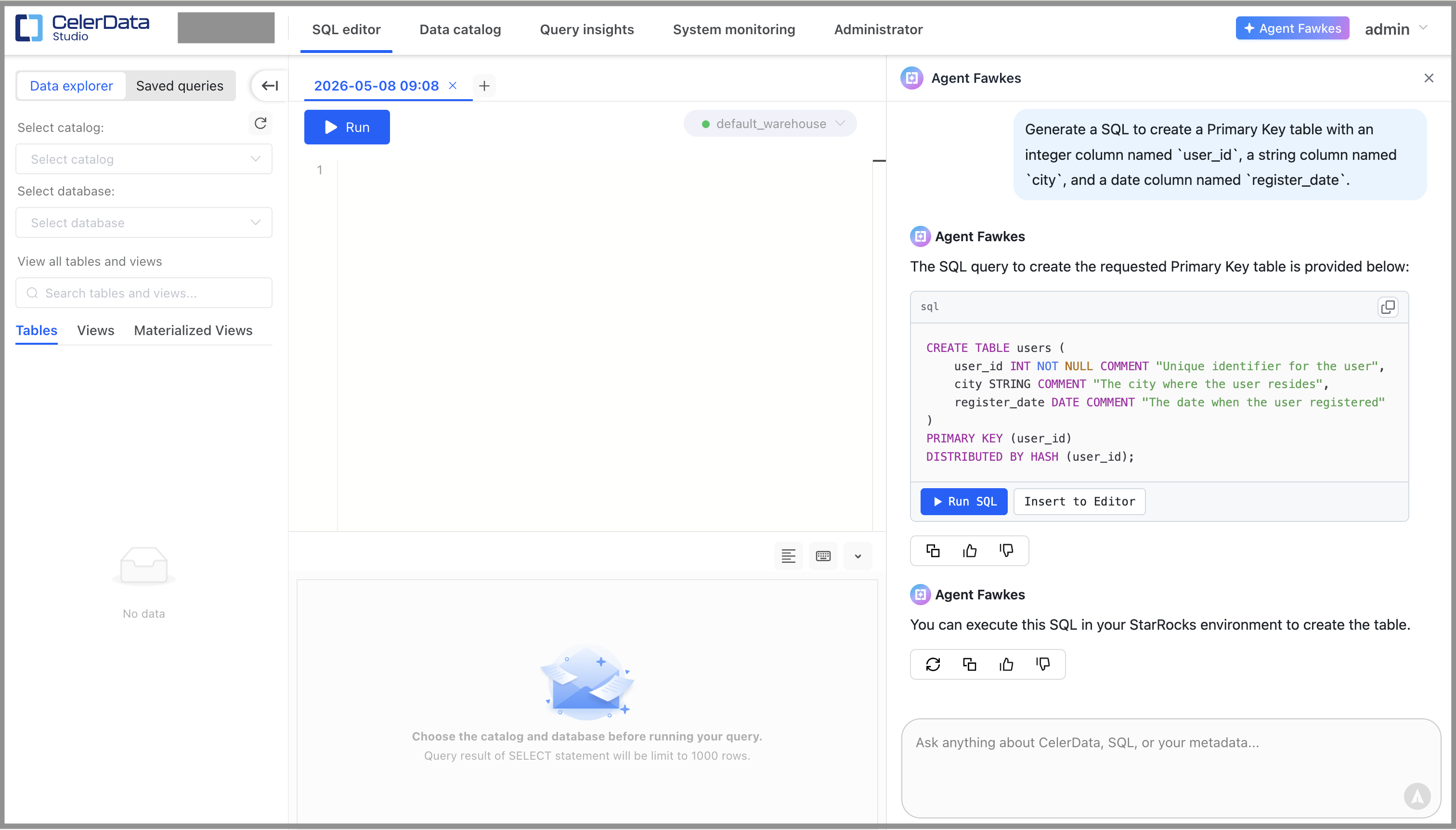
You can describe your request in natural language, and ask Agent Fawkes to generate SQL statements based on your request. For example, you can tell Agent Fawkes to "generate a SQL to create a Primary Key table with an integer column named user_id, a string column named city, and a date column named register_date".
Agent Fawkes will reply with the SQL statement you request. You can click Run SQL to execute the statement directly, or click Insert to Editor to paste the statement to the SQL editor for further editing.
Fix, rewrite, optimize, and explain SQL
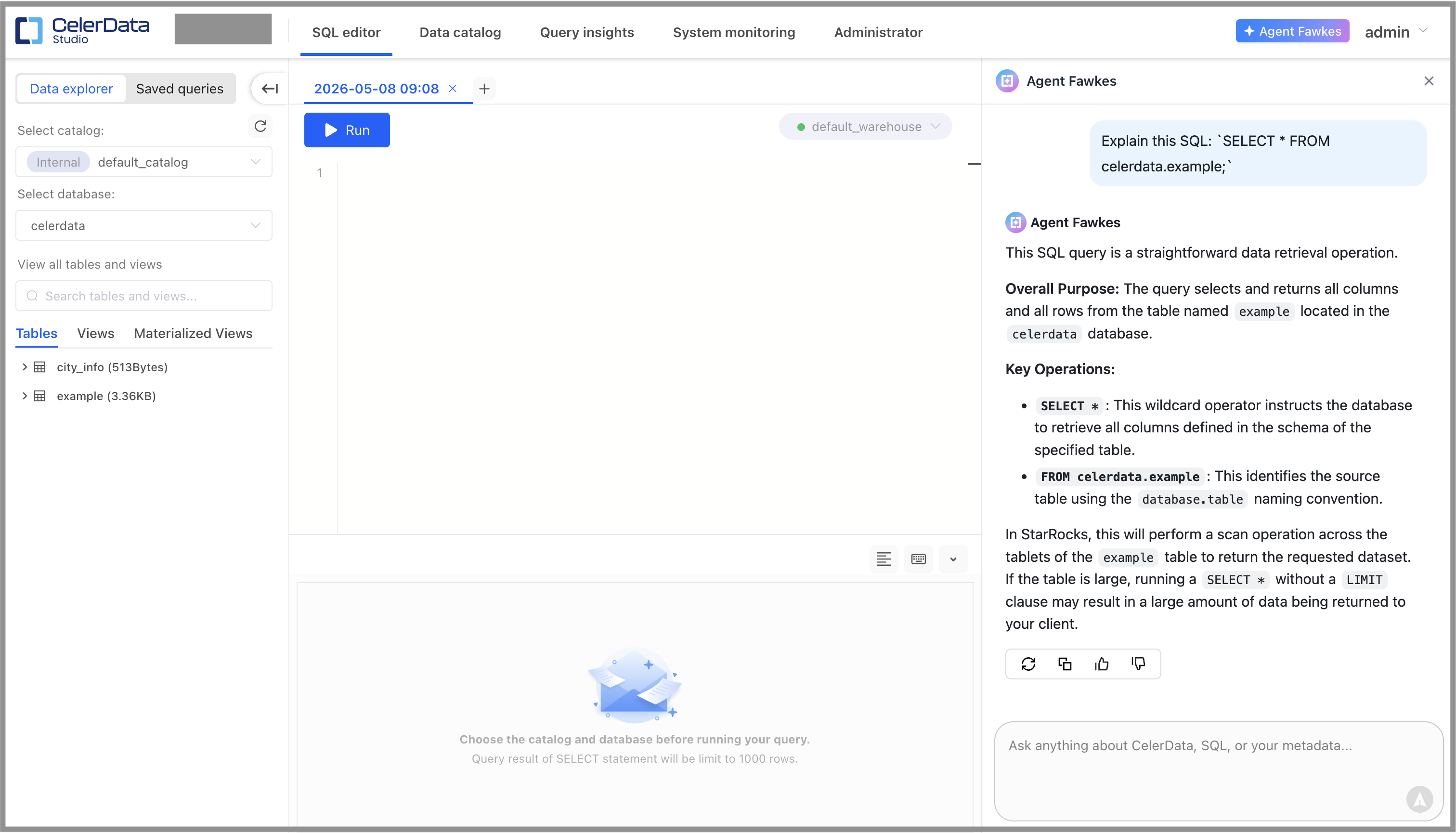
You can ask Agent Fawkes to fix a SQL statement if it failed with an error, rewrite and optimize it for performance improvement, or explain it in natural language.
- In addition to chatting with Agent Fawkes, you can also ask Agent Fawkes to fix a SQL statement by clicking Help me fix in the query result area of the SQL editor after the execution failed.
- In addition to chatting with Agent Fawkes, you can also ask Agent Fawkes to explain a SQL statement by selecting the SQL statement in the SQL editor and then clicking Explain next to the statement.
Ask Agent Fawkes about the database use
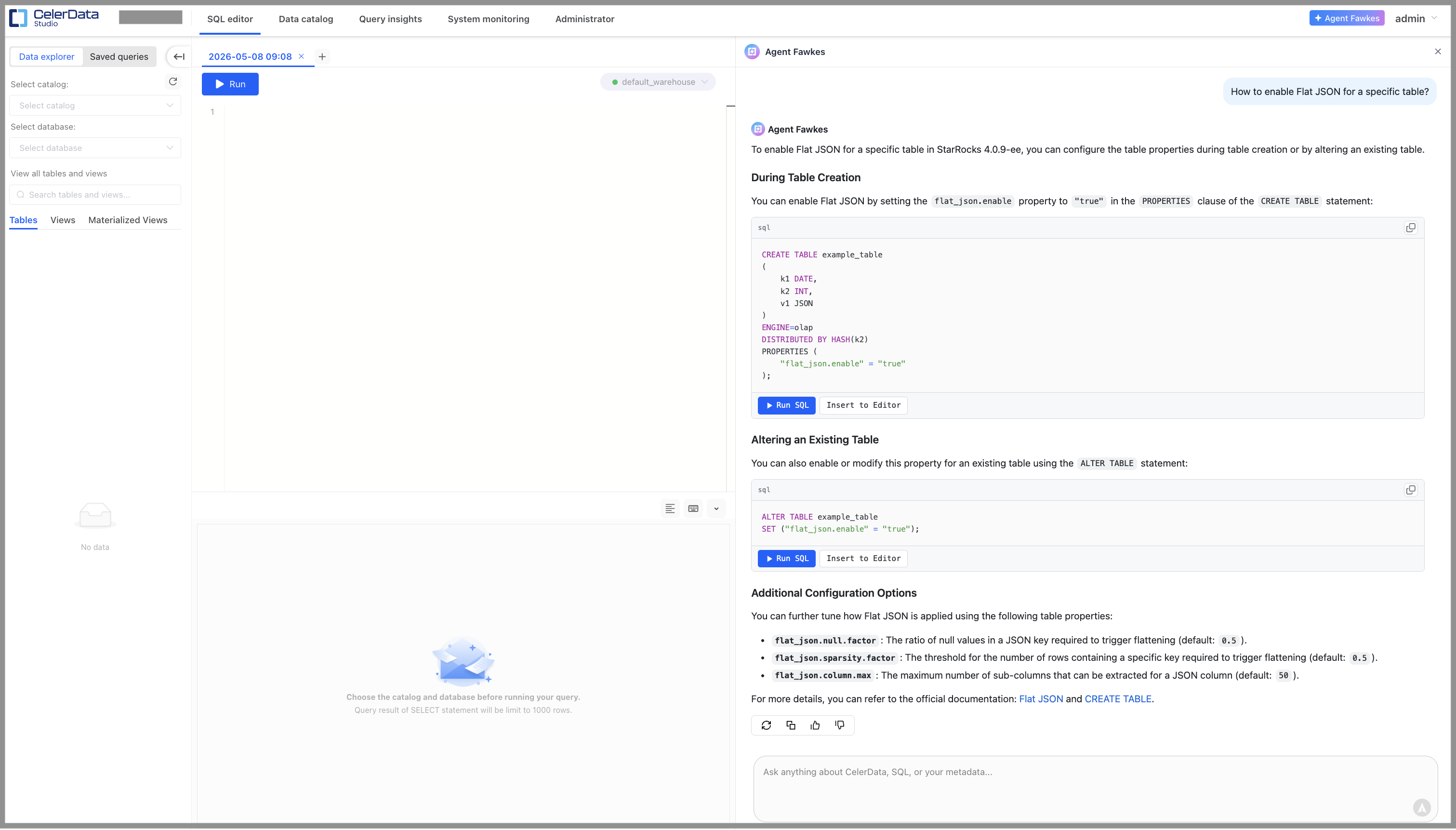
You can ask Agent Fawkes questions about how to use a certain feature. For example, you can ask Agent Fawkes "how to enable Flat JSON for a specific table?"
Agent Fawkes will reply with explanations, examples, and URL links to the document covering the feature.
Generate charts based on query results
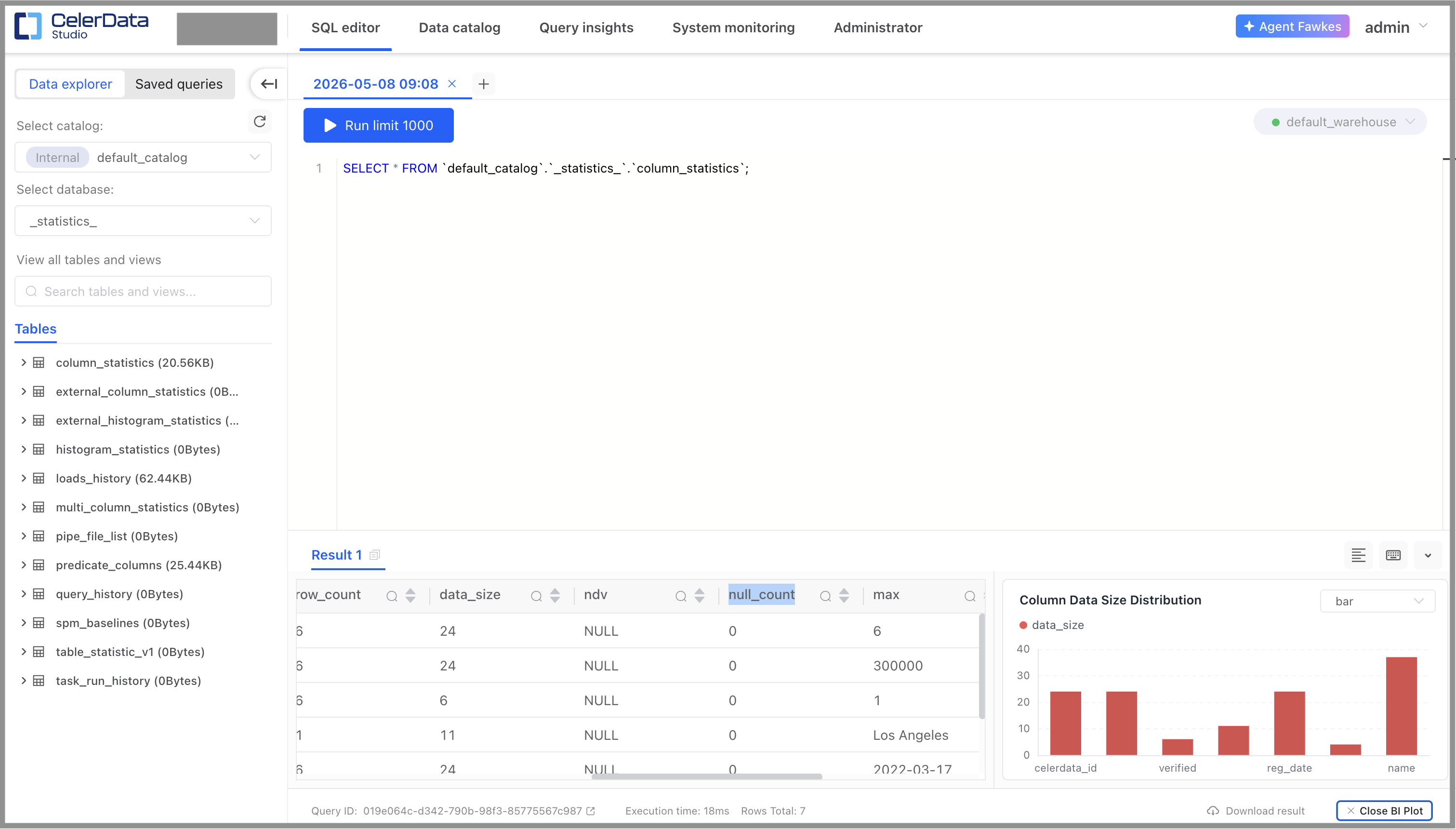
You can ask Agent Fawkes to generate charts (bar charts, pie charts, or doughnut charts) based on a query result by clicking Create BI Plot in the query result area of the SQL editor after running the query.
Disable AI Assistant
Follow these steps to disable AI Assistant:
- Sign in to the CelerData Cloud console.
- In the left-side navigation pane, choose Account > Account settings.
- On the Advanced settings tab of the Account settings page, turn off the AI Assistant switch.
- On the information that appears, click Disable & Delete Data.
Disabling AI Assistant will permanently delete all existing AI chat session data across the account. This action cannot be undone.